Disclosure: airfryerkitchensupply.com is reader-supported. When you buy through links on our site, we may earn an affiliate commission at no extra cost to you.
Where to buy
Every verified pick in this guide to the best small usb mixers is sold through Amazon, which keeps ordering, delivery and returns in one place. Use the Check on Amazon link under any pick to check price on Amazon and confirm the exact configuration before you order. If a listing has drifted to a different model variant, back out and search the exact model name from our review instead of accepting a near-match substitute.
Allen & Heath ZEDi-10FX — Check on Amazon
Mackie ProFX6v3+ — Check on Amazon
Soundcraft Notepad-8FX — Check on Amazon
Behringer Xenyx 802S — Check on Amazon
Behringer Xenyx 302USB — Check on Amazon
CAD Audio MXU2 — Check on Amazon
Introduction
The best small usb mixers exist because of a simple modern fact: the computer is where audio ends up. Podcasts, streams, videos, online lessons and hybrid meetings all need a microphone to sound produced on a computer, and a USB mixer is the single box that provides the preamp, the controls, the monitoring and the connection in one purchase. It replaces the tangle of interface-plus-software that beginners otherwise assemble badly, with physical controls a hand can reach mid-sentence.
Know the category’s one great deception before shopping: ‘USB’ describes the connection, not the capability. Some small USB mixers send a full multitrack feed to the computer; most send a stereo mix; a few send little more than a microphone with ambitions. For a solo voice, stereo is genuinely sufficient. For a two-person podcast or a small band, the distinction decides whether you can fix levels afterwards or must perform the mix perfectly live, every time.
The six picks below were confirmed against Amazon’s catalogue and chosen for the jobs USB mixers actually do in 2026: solo creators, podcast pairs, streamers, teachers and small hybrid setups. They range from a two-channel desktop unit to a ten-channel hybrid that records multitrack, and every review states its USB architecture plainly, because that — not channel count — is the specification this category is bought on.
In this guide
Quick Picks
Allen & Heath ZEDi-10FX — Best Overall: the hybrid benchmark: a real Allen & Heath mixer that is also a 4×4 USB interface, recording more than a stereo mix. — Check on Amazon
Mackie ProFX6v3+ — Best for Streamers: the streamer’s board: Onyx preamps, USB-C, Bluetooth-era convenience and GigFX+ presets recalled from its own screen. — Check on Amazon
Soundcraft Notepad-8FX — Best for Podcast Pairs: the tasteful two-voice board, whose Lexicon effects and Soundcraft preamps make a podcast sound edited before it is. — Check on Amazon
Behringer Xenyx 802S — Best Value: the value entry into USB mixing: eight inputs and a USB streaming connection for creators building a first real setup. — Check on Amazon
Behringer Xenyx 302USB — Best Ultra-Compact: the miniature option: one proper mic preamp and USB in a board that fits beside a laptop anywhere. — Check on Amazon
CAD Audio MXU2 — Best Simple Two-Channel: the straightforward two-channel USB mixer for a voice and a guest, or voice and instrument, without feature sprawl. — Check on Amazon
How These Picks Were Chosen
We selected by USB architecture first and mixer quality second, reversing the usual order because this category’s buyers are buying the computer connection. Each pick’s feed to the computer — stereo or multitrack, and at what flexibility — is stated in its review, and boards whose USB implementation was an afterthought with noisy or inflexible behaviour were cut regardless of their analogue merits.
Every ASIN was verified before linking, and this guide prints no static prices and no fixed ratings: check price on Amazon on each pick’s own link. We favoured boards whose monitoring is handled in hardware — hearing yourself with zero latency is the daily experience of a USB mixer — and whose controls remain physical, because a USB mixer that requires software for basic level changes has abandoned its reason to exist.
The 6 Best Small USB Mixers
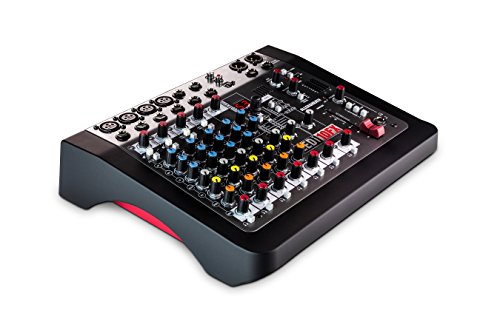
Allen & Heath ZEDi-10FX — Best Overall
The ZEDi-10FX is for the creator or small studio whose sessions outgrow stereo: a podcast with two hosts and a guest, a musician recording voice and instrument separately, a teacher capturing a small ensemble. Its 4×4 USB design sends individual channels to the computer while the analogue surface keeps live control immediate — the architecture this category promises and rarely delivers at this size.
Strengths
- 4×4 USB records channels separately, not just a stereo mix
- Allen & Heath preamps and effects lead the category on sound
- Hybrid design works live and in the studio without re-patching
Trade-offs
- Premium tier among small USB mixers
- Four-by-four flexibility is surplus for a solo voice
- Panel density rewards a methodical owner
Most small USB mixers are mixers with a port; the ZEDi-10FX is a genuine hybrid, designed from the start as both. That shows in the recording: separate channels arrive in the software, so a host who was quieter than the guest can be lifted afterwards instead of apologised for. For any format with more than one voice, that single property is the difference between production and hope.
The analogue side loses nothing for the digital ambition. Preamps, EQ and effects are unmistakably Allen & Heath, the build suits a desk that is used daily, and the board moonlights as a small live mixer without complaint. It is the most expensive direction here and the easiest to justify for anyone whose content involves other people.
Consider its lifespan in a growing studio: formats evolve from solo to guests, from voice-only to instruments, from live-to-tape to edited production. The ZEDi-10FX absorbs each of those steps without replacement, which is how premium small gear actually saves money — not by being better on day one, but by still being right on day five hundred.
Best for: multi-voice podcasts, small sessions and hybrid live-studio use / Not suited for: solo creators who will never record a second source
Check on Amazon — check price on Amazon before you decide, because bundles and included accessories change over time.

Mackie ProFX6v3+ — Best for Streamers
The ProFX6v3+ is designed for the desk of a working streamer or creator: one excellent microphone channel, a second for a guest or instrument, music and game audio managed alongside, and effects presets — including voice settings — stored and recalled from the board’s own LCD rather than buried in software. USB-C keeps the connection current and simple.
Strengths
- Onyx preamp makes a single streaming voice sound produced
- GigFX+ presets recall per-show settings from the board itself
- USB-C and modern routing suit streaming workflows directly
Trade-offs
- Stereo-class USB capture, not a multitrack recorder
- Two mic preamps cap guest formats at one guest
- Feature richness is wasted on a pure recording studio
Streaming rewards preparation that survives contact with a live audience, and the ProFX6v3+ is built around that truth. Presets mean the show’s sound is a recall, not a rebuild; the preamp means the voice carries the production values of the whole channel; and the layout means a level can be fixed mid-sentence without the audience watching you navigate software.
Its GigFX+ effects deserve their billing for voice work specifically: the processing that makes a streamer sound like a broadcaster — presence, polish, a sense of space — is present, stored and repeatable. Paired with a decent dynamic microphone, this board is the shortest path in this guide from speaking to sounding published.
The board also respects the streamer’s second job: it works as a small live mixer for the community event, the school show or the band rehearsal, so the purchase serves the creator’s whole life rather than one corner of it. Equipment that earns its desk space across multiple roles is the kind that stays bought.
Best for: streamers and creators with one guest channel and a live schedule / Not suited for: podcast panels or multitrack music recording
Check on Amazon — check price on Amazon before you decide, because bundles and included accessories change over time.
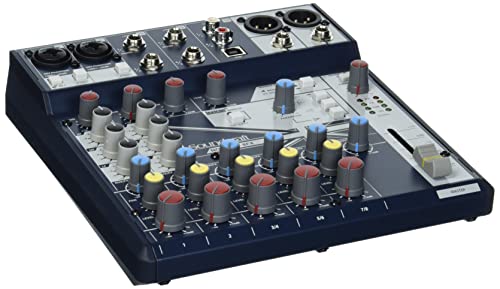
Soundcraft Notepad-8FX — Best for Podcast Pairs
The Notepad-8FX suits the two-person podcast, the interview show and the voice-led creator who records into a computer and edits afterwards. Its stereo USB feed carries a well-balanced mix, its effects give voices a finished broadcast sheen during recording, and its compact, handsome design suits a desk that appears on camera.
Strengths
- Lexicon effects polish voices at the subtle settings speech needs
- Soundcraft preamps keep two voices clean and distinct
- Compact design suits an on-camera creator desk
Trade-offs
- Stereo USB means levels must be balanced live, not later
- No multitrack safety net for badly balanced sessions
- Input count exceeds its stereo capture for larger panels
A two-voice podcast lives or dies on balance, and the Notepad-8FX is the board for hosts who would rather perform that balance than repair it. Its preamps keep voices separate in character, its EQ fixes the proximity boom and boxiness that small rooms impose, and its Lexicon effects — used at a whisper — produce the sense that the show was made somewhere professional.
The discipline it demands is soundcheck honesty: record a minute, listen back, adjust, then record the show. Hosts who build that habit find the stereo limitation invisible, because the mix was right when it mattered. Hosts who will not soundcheck should buy the multitrack headroom of the ZEDi-10FX instead, and this guide respects both working styles equally.
There is an aesthetic argument that matters for video podcasts: this board looks like equipment rather than apparatus. On a desk that is also a set, that tidiness contributes to the production the audience perceives. Small considerations compound in content, and Soundcraft clearly designed this board for the desks it would be photographed on.
Best for: two-voice podcasts and interview shows with a soundcheck habit / Not suited for: panels of three or more, or hosts who fix everything in post
Check on Amazon — check price on Amazon before you decide, because bundles and included accessories change over time.

Behringer Xenyx 802S — Best Value
The 802S is the first serious board for a creator graduating from a USB microphone: two voices or a voice and instrument, playback sources alongside, and a USB connection that presents the whole mix to the computer cleanly. Classrooms, community streamers and starter podcasts are its natural territory.
Strengths
- Eight inputs cover voice, instrument and playback together
- USB streaming connection simplifies a first computer setup
- Value tier leaves budget for the microphone that matters more
Trade-offs
- Stereo-class capture with no multitrack path
- Build and control feel are built to the price
- No built-in effects for voice polish
Every category needs an honest doorway, and the 802S is this one’s. It teaches the real skills — gain staging, balancing sources, monitoring in hardware — on a board cheap enough to be a first purchase and capable enough to remain useful as a submixer or spare after an upgrade. Its preamps are clean for speech, its layout is legible to a beginner, and its USB connection simply works with the software creators already use.
Its limits define the upgrade path rather than undermine the purchase: no effects to polish a voice, stereo capture only, and a build that asks for a settled desk rather than a touring life. A creator who outgrows it has been given, by it, exactly the knowledge needed to choose its successor well.
Institutions should note it too: a classroom or community media programme can field several of these for the cost of one premium board, putting a real mixer in front of every student or volunteer. For teaching and access, that multiplication is worth more than a single flagship’s refinement, and the skills learned transfer upward unchanged.
Best for: first USB setups, classrooms and starter podcasts / Not suited for: creators needing effects, multitrack or touring build
Check on Amazon — check price on Amazon before you decide, because bundles and included accessories change over time.
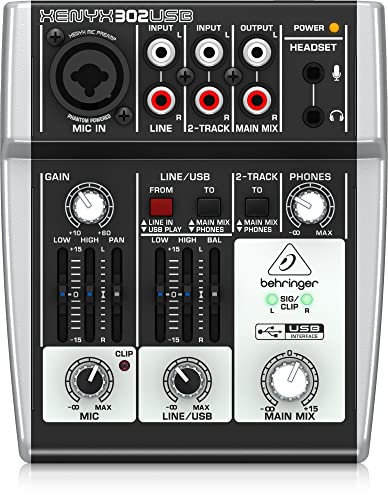
Behringer Xenyx 302USB — Best Ultra-Compact
The 302USB is for the single voice that travels: the consultant teaching online from hotels, the podcaster recording in a closet studio, the student whose desk is a kitchen table. One microphone, one playback source, headphones, and a computer — that complete chain in a board smaller than the laptop it serves.
Strengths
- Genuinely miniature; the complete chain in a laptop bag
- A real Xenyx mic preamp beats any headset or laptop input
- Dead-simple operation suits non-technical owners
Trade-offs
- One mic input is the entire ceiling — no guests, ever
- Minimal EQ and no effects for problem voices or rooms
- Construction suits a desk, not a gig bag’s rough life
Smallness is a genuine engineering achievement when nothing essential is surrendered, and the 302USB keeps the essential thing: a proper microphone preamp with proper gain, monitored in hardware, feeding the computer over USB. A voice recorded through it beside a laptop microphone is not an incremental improvement; it is a category change, audible to any listener in five seconds.
Everything else is honestly minimal, and the buyer must be too: this is a one-person device for a defined job. Within that job — online teaching, solo podcasting, voice work on the move — it remains one of the most cost-effective upgrades in all of small audio, because it fixes the weakest link of the laptop chain for the price of a modest dinner.
It also makes an excellent permanent second board: the travel kit, the backup when the main setup fails before a live session, the loaner for a guest recording remotely. Owners of larger systems buy it without replacing anything, which is the surest sign a small product has found its exact niche.
Best for: solo voices on the move, online teachers and minimal desks / Not suited for: any format with a second person or an instrument
Check on Amazon — check price on Amazon before you decide, because bundles and included accessories change over time.

CAD Audio MXU2 — Best Simple Two-Channel
The MXU2 fits the buyer who wants the ProFX’s job at its simplest: two combo inputs accepting microphones or instruments, USB to the computer, and controls that explain themselves. A podcast pair starting out, a music teacher giving online lessons with an instrument, or a small business recording announcements will find its scope exactly matched to their week.
Strengths
- Combo inputs accept mics or instruments without adaptors
- Two-channel focus keeps operation obvious for beginners
- A sensible middle between miniature and full mixer
Trade-offs
- No effects section for voice production
- Stereo-class capture; balance live or not at all
- Less ecosystem and accessory support than Mackie or Behringer
CAD’s long history in microphones shows in a board that treats the input as the point. The combo jacks forgive whatever cable a guest arrives with, the gain range suits real microphones rather than only loud ones, and the whole device can be taught to a non-technical partner in one conversation — a property podcast pairs should weigh heavily, because the board will be operated by both hosts, not the technical one.
It competes by refusing sprawl: no effects to mis-set, no modes to misremember, nothing between a voice and the recording but gain and level. For formats whose production happens in editing, that purity is correct engineering. Buyers wanting in-board polish should look at the Mackie; buyers wanting a clean, honest capture should look here.
Online music teachers are a quietly perfect fit: voice on one channel, instrument on the other, both present in the student’s headphones with hardware immediacy, and no software mixer standing between the lesson and the setup time. In teaching, minutes of setup are minutes of lesson lost weekly, and simple boards repay their price in recovered time.
Best for: podcast pairs, online music teachers and simple two-source recording / Not suited for: creators wanting onboard effects or streaming presets
Check on Amazon — check price on Amazon before you decide, because bundles and included accessories change over time.
Comparison Table
| Pick | Badge | Key spec | Best for |
|---|---|---|---|
| Allen & Heath ZEDi-10FX | Best Overall | 4×4 USB interface, onboard FX, hybrid design | multi-voice podcasts, small sessions and hybrid live-studio use |
| Mackie ProFX6v3+ | Best for Streamers | 6 channels, Onyx preamps, USB-C, GigFX+, LCD presets | streamers and creators with one guest channel and a live schedule |
| Soundcraft Notepad-8FX | Best for Podcast Pairs | 8 channels, Lexicon effects, USB I/O | two-voice podcasts and interview shows with a soundcheck habit |
| Behringer Xenyx 802S | Best Value | 8 inputs, Xenyx preamps, USB streaming interface | first USB setups, classrooms and starter podcasts |
| Behringer Xenyx 302USB | Best Ultra-Compact | 5 inputs, single mic preamp, USB interface, miniature format | solo voices on the move, online teachers and minimal desks |
| CAD Audio MXU2 | Best Simple Two-Channel | 2 channels, XLR combo inputs, USB | podcast pairs, online music teachers and simple two-source recording |
How to Choose the Best Small USB Mixers
Start with the question this category hides: what exactly reaches the computer? A stereo mix is a performance — balanced live, unfixable later. A multitrack or multi-channel feed is a recording — adjustable in editing. Solo voices, lessons and streams are performances by nature and thrive on stereo boards; panels, interviews with uneven speakers and music sessions are recordings and deserve the ZEDi-10FX’s architecture or a dedicated interface.
Next, count microphones, not features. One voice needs one great preamp; two voices need two good ones and a soundcheck habit; three or more voices need multitrack or a larger board entirely. Every pick here maps to one of those realities, and choosing by your real format prevents both the undersized purchase and the premium one whose capabilities you will never open.
Finally, check the mundane compatibilities before ordering: USB-C or the older connector, class-compliant operation with your computer and software, and hardware monitoring so you hear yourself without delay. A USB mixer that fights your laptop is worse than none, and these checks take five minutes before purchase or five evenings after it.
Stereo Versus Multitrack: The Decision That Defines This Category
A stereo USB mixer sends the finished balance. Its virtues are immediacy and simplicity — what you hear is the product — and its demand is competence at soundcheck. A multitrack-capable board sends sources separately, trading editing time for insurance: levels, EQ and even a replaced word can be addressed afterwards, at the cost of a real post-production step for every episode.
Neither is superior in the abstract. A daily streamer cannot edit yesterday’s show and should buy performance tools — presets, effects, hardware control. A weekly narrative podcast should buy insurance. Mismatching the architecture to the publishing rhythm is the most common and most expensive error among USB mixer buyers, and it is entirely avoidable in one honest minute of self-assessment.
How to Set Up a Small USB Mixer for Podcasting or Streaming
Connect the mixer before opening your software, so the application finds it as the audio device, and set it as both input and output to keep monitoring coherent. Set microphone gain with your loudest real delivery — a laugh, an emphasis — not a polite test, then balance the second source against it. Record thirty seconds and listen on headphones before any real session: this single habit catches wrong inputs, hum and imbalance while they are still free to fix.
Monitor through the mixer’s headphone output, not the computer’s, so your own voice arrives without delay. Add effects, if your board has them, at the lowest setting that sounds finished — processing that impresses in headphones often fatigues an audience across an hour. Save or photograph the final settings; consistency across episodes is a production value audiences feel without naming.
Keep a spare cable and a backup plan — even a phone recording — for live commitments. USB chains have more links than analogue ones, and the professional difference is not avoiding failures but having rehearsed the thirty-second recovery from one.
Microphones for USB Mixers: Getting the Pairing Right
A USB mixer’s preamp deserves a microphone that uses it. Dynamic microphones suit untreated rooms and close talking, rejecting the room’s reflections that condenser microphones faithfully capture; condensers reward treated rooms and quiet voices with detail dynamics cannot reach. Most beginners in real rooms should start dynamic, however unglamorous that advice sounds beside studio imagery.
Whatever you choose, work close to it, on a stand or arm that holds position, with a pop filter for plosives. Placement discipline improves a recording more than the next microphone upgrade, and it costs nothing — which is why every guide in this programme repeats it and every professional you record with will demonstrate it.
USB Mixer or Audio Interface: Which Should You Buy?
Buy the interface if you never touch levels during recording, mix entirely in software and want the cleanest conversion per unit of money. Buy the USB mixer if you adjust sources live, host other people, monitor performers, or stream — anywhere a hand must reach a control faster than a mouse can. The hybrid ZEDi-10FX exists precisely for buyers who refuse the distinction, and its premium is the price of that refusal.
Many mature small studios end up owning both: an interface for pure recording days, a mixer for people days. If your budget forces one purchase, choose by your most frequent session, not your most ambitious one — equipment serves the week you actually have.
Keeping a USB Setup Reliable
USB audio reliability is a chain discipline: one good cable, connected directly rather than through an unpowered hub; software and firmware updated on your schedule, never on a recording day; and a saved known-good configuration you can return to. Change one variable at a time when troubleshooting, starting with the cable — the least glamorous component causes the majority of dropouts and hums.
Test the full chain at the start of each recording week, briefly, the way pilots walk around an aircraft. Thirty seconds of recorded test, listened to properly, is the cheapest insurance in all of content production, and the creators who adopt it stop telling stories about the episode they lost.
Two-Person Podcasting: The Setup Most Buyers Actually Need
The modal USB mixer purchase is a two-person podcast, and it deserves a direct recipe. Two dynamic microphones on short stands or arms, one into each mic preamp, gains set with both hosts speaking at real energy — including the moment both laugh at once, which is the level peak nobody soundchecks for. Headphones for both hosts from the mixer’s monitoring, split or via its outputs as the model allows, because a host who cannot hear themselves drifts off-mic within ten minutes.
Record the stereo mix if your board is stereo-class, and protect it with the soundcheck discipline the Soundcraft review describes; or record channels separately on the ZEDi-10FX and balance in editing at the cost of post-production time. Either workflow produces a professional show when it is followed every episode. The failures this guide sees are never the board — they are the skipped test recording, the guest on a laptop microphone nobody checked, and the episode balanced for the hosts’ headphones rather than the audience’s earbuds.
Live Streaming Audio: Loudness, Processing and Restraint
Streaming platforms normalise loudness, which quietly abolishes the amateur instinct to be louder than other channels: the platform will turn a hot, crushed voice down and leave its distortion fully audible. The winning streaming chain is therefore a clean preamp at sensible gain, gentle processing for presence, and peaks controlled without pumping — exactly the discipline the Mackie pick’s presets are designed to repeat reliably from show to show.
Set your chain once, against the platform’s playback on a phone — the device your audience actually uses — rather than against studio monitors. A voice that survives a phone speaker in a kitchen survives anywhere. Then lock the settings, photograph or save them, and spend subsequent shows improving content instead of re-engineering audio that was already right.
Teaching and Meetings: The USB Mixer’s Quiet Majority
More USB mixers earn their living in lessons and meetings than in content, and their requirements are distinct: intelligibility over production, reliability over features, and a setup the owner can reproduce half-asleep before a morning class. The compact picks here — the 302USB for a voice alone, the CAD for a voice and an instrument — are specified for exactly that life, and their simplicity is the feature their owners cite after a year of daily use.
Music teachers should note the one configuration detail that decides their experience: the instrument and the voice must both reach the student with independent levels, because a lesson is a conversation between the two. Any two-preamp pick in this guide does it; a single-input device, however charming, forces a compromise that every lesson then pays for.
Future-Proofing a USB Purchase
USB standards and operating systems move, and a mixer’s digital side ages faster than its analogue side. Protect the purchase by favouring class-compliant designs that need no bespoke driver — every pick here was chosen partly on that basis — and by keeping the analogue path useful in its own right, so the board remains a mixer even if its interface role is one day superseded.
The other future-proofing is format honesty. A solo creator whose format is settled can buy the compact pick with confidence and never think again; a creator whose format visibly wants guests within a year should buy the two-preamp or hybrid pick now. The cheapest USB mixer is the one bought once, and the difference between the two errors — too small and too grand — is that only one of them forces a second purchase.
Troubleshooting USB Audio in the Order Professionals Use
When a USB setup misbehaves — dropouts, hum, a vanished device, a voice that sounds underwater — work the chain in physical order and change one thing at a time. First the cable, swapped for a known-good short one connected directly to the computer. Then the port, avoiding hubs entirely for the test. Then the software’s device selection and sample-rate settings, which must agree between the application and the operating system. Only after those three should the mixer itself be suspected, because in practice it is guilty least often.
Hum deserves its own sentence: it usually enters through grounding among computer, mixer and powered monitors sharing different outlets, and the fixes are power discipline — one distribution point for the audio chain — and balanced connections where offered, not new equipment. A creator who learns this order stops buying replacements for cable problems, which is the most common financial leak in small USB studios.
Recording Video Podcasts: Audio Is the Production Value
Video podcasts invert beginners’ assumptions: audiences forgive ordinary cameras and abandon ordinary audio within a minute. The USB mixer is therefore the video podcast’s most important production purchase, ahead of lighting and lenses, because it is the only component whose failure is unforgivable to the ear. Two hosts on real microphones through any two-preamp pick in this guide will out-produce a beautifully lit show recorded on a camera microphone, every time, measurably, in retention.
Configure for the edit as well as the ear: leave headroom rather than normalising at the board, keep effects lighter than feels finished in headphones because video audiences listen on phones in noisy rooms, and record a backup — even a phone on the table — for the day the main chain fails. The backup will be needed rarely and will save the show completely when it is.
From USB Mixer to Live Room: One Kit, Two Lives
Several picks in this guide lead double lives — desk interface by weekday, small live mixer at the weekend event — and owners should set them up to succeed at both. Keep two documented configurations: the desk state, photographed or saved, and the live state, with its own channel plan for the event’s microphones and playback. Restoring the desk state on Monday is a five-minute ritual when it is documented and a morning of archaeology when it is not.
Cables make the difference practical: a small live bag — two mic cables, a pair of speaker-connection cables for powered speakers, power supply, gaffer tape — kept packed beside the board converts the double life from a theory into a habit. Equipment that is ready to move gets moved; equipment that must be assembled for each outing stays home, and its second life quietly never happens.
Sample Rates and Settings Without the Superstition
USB audio attracts settings folklore, so here is the plain version: choose one sample rate for your system — the rate your software and operating system agree on — and leave it there. Mismatched rates between an application and the system are a real cause of pitch and dropout oddities; the supposed sonic differences that drive forum arguments are not audible in podcast and streaming work, and chasing them costs sessions. Consistency is the professional setting.
Buffer size follows the same logic: monitoring through the mixer, as this guide insists, makes the computer’s buffer a background detail rather than a performance variable. Set it once for stable recording, note it in your setup photograph, and let it disappear. The creators who finish episodes are the ones whose settings stopped being a hobby.
Accessibility and Ease: An Overlooked Buying Criterion
For many owners — teachers mid-lesson, presenters mid-call, older creators, anyone whose hands or eyes make small controls costly — the physical design of a USB mixer is an accessibility decision. Large, spaced controls with positive action, legible labelling and a layout that can be operated by touch are not luxuries; they decide whether the device gets used at all. The simpler picks in this guide, particularly the compact Mackie and CAD designs, serve these owners better than feature-dense boards whose capabilities arrive wrapped in friction.
When buying for someone else — a parent starting a podcast, a school equipping classrooms — weight this criterion first. A board its owner can run confidently produces better audio than a superior board they avoid touching, and the confidence is audible in every recording they publish.
Buying for a Household, Not Just a Creator
Many USB mixers are bought by one person and used by a household: the partner’s work calls, the teenager’s school project, the grandparent’s video chat with family abroad. A board that serves the household gets its levels reset constantly, which argues for the photographed-settings habit this guide keeps recommending — and for choosing a model whose basic operation a non-owner can grasp from its panel alone, without the owner’s twenty-minute tutorial standing between a grandparent and a call.
It also argues for leaving the setup permanently assembled. A USB mixer that must be fetched, cabled and configured for each use will be bypassed for the laptop’s own microphone within a month, and the household’s audio quality will quietly return to its previous state. Permanence is a feature: the board that lives on the desk, connected, is the board whose preamp every call in the house benefits from.
A Final Word on Confidence
Every guide in this programme ends at the same place, and this one is no exception: the equipment is the smaller half of the result. A modest USB mixer, permanently set up, honestly soundchecked and operated with the few disciplines described above, produces content and calls that listeners experience as professional. The remaining difference between that owner and a struggling one is never a specification — it is the thirty-second test recording, made every time, without exception, until it becomes as automatic as plugging in the headphones.
Common Buying Mistakes
Assuming USB means multitrack. Most small USB mixers send a stereo mix. If you need per-channel editing, verify the architecture — or discover it after your first unbalanced panel.
Monitoring through the computer. Software monitoring adds delay that makes speaking stilted. Use the mixer’s own headphone output and direct monitoring.
Buying channels instead of preamps. A solo creator needs one excellent preamp, not eight mediocre ones. Count microphones, then judge their quality.
Skipping the thirty-second test recording. Wrong inputs and hum are audible in a test and fatal in an episode. The habit costs nothing and saves everything.
Running USB through a cheap hub. Hubs cause dropouts and power problems. Connect the mixer directly to the computer with a good cable.
Final Recommendation
For most buyers whose content involves more than one voice, the Allen & Heath ZEDi-10FX is the best small usb mixer here, because its 4×4 recording removes the category’s central limitation. Streamers should choose the Mackie ProFX6v3+ for its preamp, presets and show-ready design, and podcast pairs with a soundcheck habit will love the Soundcraft Notepad-8FX. The Behringer 802S is the honest first board, the 302USB the traveller’s minimum, and the CAD MXU2 the simple two-channel answer.
Decide stereo versus multitrack before you decide anything else, monitor in hardware, and test-record before every session. In USB audio, workflow discipline is sound quality.
Check on Amazon — check price on Amazon before you decide, because bundles and included accessories change over time.
Check on Amazon — check price on Amazon before you decide, because bundles and included accessories change over time.
Check on Amazon — check price on Amazon before you decide, because bundles and included accessories change over time.
Check on Amazon — check price on Amazon before you decide, because bundles and included accessories change over time.
Check on Amazon — check price on Amazon before you decide, because bundles and included accessories change over time.
Check on Amazon — check price on Amazon before you decide, because bundles and included accessories change over time.
Best Small Studio Mixers Best Small Pa Mixers Best Small Stage Mixers Best Small Power Mixers Best Analog Mixers With Usb Best Audio Mixers Under $100
Frequently Asked Questions
Do all USB mixers record each channel separately?
No. Most small USB mixers send a single stereo mix of everything. Only hybrid designs like the Allen & Heath ZEDi-10FX in this guide send multiple channels separately. If per-channel editing matters to your format, that architecture — not channel count — is what you are shopping for.
Can I use a USB mixer for streaming and Zoom calls?
Yes — it appears to the computer as an audio device, so streaming software and meeting applications use it directly. Your microphone gains the mixer’s preamp, EQ and effects, and hardware monitoring keeps your own voice delay-free in your headphones, which makes long calls noticeably less tiring.
Is a USB mixer better than a USB microphone?
For a single settled voice, a good USB microphone is simpler and can sound excellent. A USB mixer wins the moment a second source, a guest, an instrument or live control enters the picture, and it lets you upgrade microphones without replacing the whole chain. Buy for the format you are growing into.
Why do I hear a delay of my own voice?
You are monitoring through the computer, which adds a processing round trip. Switch your headphones to the mixer’s own output and enable its direct monitoring, and the delay disappears because the signal never leaves the hardware on its way to your ears.
What microphone pairs best with a small USB mixer?
In an untreated room, a dynamic microphone worked closely is the reliable choice; in a treated, quiet space, a condenser adds detail. Either way, a stand and a pop filter improve the result more than the next price tier of microphone does.
Can a USB mixer also run a small live event?
Several picks here — the ZEDi-10FX and ProFX6v3+ especially — double as capable small live mixers through powered speakers. Check that the model provides proper main outputs for speakers, and remember its channel count was chosen for a desk, so keep the event genuinely small.


