A wireless doorbell chime lets you hear the bell anywhere in the house without running wires. Most kits pair a push button at the door with a receiver that plugs in or runs on batteries. Some add flashing lights, many melodies and extra receivers for large homes.
The six picks here include a chime for an existing Ring device, two GE kits, a SECRUI kit with two plug-in receivers and two TECKNET kits, one battery powered and one that needs no battery in the button. Details come from each product’s listing page. We have not used these kits ourselves. Range and volume figures are the makers’ own and depend on walls and layout.
As an Amazon Associate we earn from qualifying purchases. Links below are affiliate links, and they do not change the product information we give.
What to Look For
| Feature | Why it matters |
|---|---|
| Receiver power | Plug-in needs an outlet; battery can move room to room |
| Range | Makers state open-air range, which walls reduce |
| Melodies and volume | More choices help tell doors apart |
| Receivers | Extra receivers cover more floors |
| Compatibility | Some chimes work only with their own buttons or devices |
In this guide
Specs at a Glance
| Kit | Power | Range and sound | Notes |
|---|---|---|---|
| Ring Chime | Plug into an outlet | Customizable tones, volume and snooze | For Ring devices; Wi-Fi and Bluetooth setup |
| GE battery receiver | Receiver batteries; button CR2032 | Up to 150 ft; 8 melodies; 4 volumes | 2 buttons; pairs up to 4 GE buttons |
| GE UltraPro | Plug-in receiver | Up to 150 ft; 2 melodies; 4 volumes | 1 button, CR2032 included; pairs up to 4 buttons |
| SECRUI | Plug-in receivers; button CR2032 | Up to 1000 ft open air; 110 dB; 5 volumes | 2 receivers, 1 button; LED flash |
| TECKNET battery | 3 AA in receiver (not included) | Up to 1300 ft; 110 dB; 5 volumes | RGB light; portable receiver |
| TECKNET self-powered | Plug-in; button needs no battery | 1300 ft; 60 chimes | 2 receivers; extra outlet on the chime |
The 6 Best Wireless Doorbell Chimes
Top pickBest for homes with a Ring device
1. Ring Chime Plug-In
A plug-in chime that sounds alerts from a compatible Ring camera or doorbell, with an upgraded speaker, tone, volume and snooze settings and Wi-Fi and Bluetooth setup. It plugs into a standard wall outlet. The listing has no spec table, so dimensions are not given here.
Suits: homes with a Ring device. Strengths: simple plug-in setup. Weaknesses: not a stand-alone kit. Skip it if you need a button and a chime together.
View Ring Chime 3rd Gen Plug-In White on Amazon

Best for two doors, dorms and rentals
2. GE Wireless Doorbell Kit With 2 Push Buttons
A battery powered receiver with up to 150 feet of range, two push buttons, four volume levels and eight melodies including ding-dong, Westminster and tango. The receiver pairs with up to four GE buttons. The spec table says 5 CR2 batteries, while the bullets say three C batteries for the receiver and CR2032 cells for the buttons, so check before you buy.
Suits: two doors, dorms and rentals. Strengths: two buttons and eight melodies. Weaknesses: conflicting battery data. Skip it if you want a plug-in receiver.

View GE Wireless Doorbell Kit Battery Receiver 2 Push Buttons on Amazon

Best for a simple one-door kit
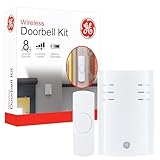
3. GE UltraPro Wireless Doorbell Kit Plug-In
A white plug-in receiver with one pre-paired push button, up to 150 feet of range, two melodies (ding-dong and Westminster) and four volume levels. A CR2032 battery is included for the button, and up to four compatible GE buttons can pair.
Suits: a simple one-door kit. Strengths: pre-paired button and no receiver batteries. Weaknesses: only two melodies. Skip it if you want many tunes.
View GE UltraPro Wireless Doorbell Kit Plug-In 1 Push Button on Amazon
Best for a two-floor home
4. SECRUI Wireless Doorbell With 2 Plug-In Receivers
A 1 button, 2 receiver kit in black ABS with a CR2032 button battery included, flashing LED, five volume levels and a maker stated range of up to 1000 feet in open air. The title says 52 chimes while the description says 58 songs.
Suits: a two-floor home. Strengths: two receivers and a light. Weaknesses: inconsistent chime count. Skip it if you want one receiver only.
View SECRUI Wireless Doorbell Kit 2 Plug-In Receivers 1 Push Button on Amazon
Best for a movable receiver for a garage or garden
5. TECKNET 1300 Feet Battery Wireless Doorbell
A battery powered receiver, 3.7 by 2.24 by 3.7 inches, that needs three AA batteries (not included) and can sit on a table or travel as a pager. It has an RGB light, a sleep mode, 60 plus chimes, five volume levels, a maker stated 110 dB and a 1300 foot range.
Suits: a movable receiver for a garage or garden. Strengths: no outlet and a light. Weaknesses: batteries not included. Skip it if you want a plug-in.
View TECKNET Battery Wireless Doorbell 1300 Feet 1 Button White on Amazon
Best for no battery changes at the door
6. TECKNET Self-Powered Plug-Through Wireless Doorbell
A kit with one button and two plug-in receivers; the maker says the button makes its own power when pressed, so it needs no battery. Each chime has an extra outlet so it does not take up a socket. It lists 60 chimes and 1300 feet. The title says 0 to 110 dB but the table says 85 dB.
Suits: no battery changes at the door. Strengths: no button battery and a pass-through outlet. Weaknesses: conflicting volume data. Skip it if you need a clear dB figure.
View TECKNET Self-Powered Plug-Through Wireless Doorbell 2 Receivers on Amazon
Setup Tips
- Place the receiver near the middle of the house.
- Keep it clear of large metal objects.
- Test the button from the farthest room after pairing.
- Keep spare batteries for kits that use them.
Mistakes to Avoid
- Expecting the full stated range through thick walls.
- Buying a Ring Chime without a Ring device.
- Mixing buttons and receivers from different brands.
- Forgetting that some batteries are not included.
Understanding Wireless Range Claims
Range figures on wireless doorbell packaging are usually measured in open space with nothing in the way. Real homes are different. Walls, floors, metal doors, appliances and even dense materials like brick or concrete can reduce the distance a signal travels. A listed range is best treated as a ceiling rather than a promise.
When choosing a chime, think about the actual path from your door button to where you want to hear it. A chime in the same room as the entry will have an easier job than one two floors up at the back of the house. If you live in a large home, an apartment building with thick walls or a house with a detached garage, give extra weight to models that offer a longer stated range, and consider adding a second receiver to cover distant areas.
Before mounting anything permanently, test the signal. Place the receiver where you want it, press the button from the door and walk through the home to confirm you can hear the chime. If the sound is weak or cuts out, try moving the receiver, raising it off the floor or choosing a different outlet. Check the manual for how to reduce interference, and read the listing for the range and whether it describes any conditions.
Choosing Sound, Volume and Tones
A chime that you cannot hear or that startles everyone is a poor fit. Look at how many tones the receiver offers and whether you can pick one that stands out from your TV, phone and other household sounds. A simple chime may be enough, while a variety lets different people or buttons use different tones.
Volume control matters in homes with babies, night-shift workers or pets. Many receivers have several volume levels, and some include a quiet or mute setting. Check the listing for the volume options and whether the receiver can also flash a light, which can help people who are hard of hearing or when the home is noisy.
Consider the room where the chime will sit. Sound travels differently in a hallway than in a bedroom, and a receiver placed behind furniture or in a cabinet will be muffled. If you want to hear the chime in several rooms, multiple receivers may be better than one loud unit. Also think about whether you want a different sound for a front and a back door, which requires a kit that supports multiple buttons and distinct tones.
Weather Resistance and Button Placement
The outdoor push button faces rain, heat, cold and sun, so check how it is described by the manufacturer. Look for a weather-resistance rating or statement on the listing or in the manual, and confirm it covers your climate. Do not assume that all buttons are suitable for exposed positions.
Placement affects both durability and performance. Mount the button where visitors expect it, at a comfortable height, and in a spot that is not constantly drenched by water running off the roof. Avoid mounting directly on large metal surfaces unless the manual says it is fine, since metal can weaken the signal.
Things to consider at installation:
- Whether the button mounts with screws, adhesive or both
- Whether the surface is flat and clean enough for adhesive to hold
- Whether a battery-powered button needs a cover or seal checked when replacing batteries
- How easy it is to remove for battery changes
If the doorbell button is used by many visitors, such as in a shared entrance, a sturdier build and a clear, easy-to-press design are worth prioritizing.
Battery Life and Power Planning
Wireless chimes use batteries in the button, the receiver or both, unless the receiver plugs into an outlet. Plug-in receivers avoid battery changes on the indoor side, but you need an available outlet in the right location. Battery receivers can be placed anywhere, but you must remember to replace batteries.
The button is usually battery powered. Some designs are self-powered, meaning pressing the button generates the energy needed to send the signal, so no battery replacement is needed for the button. Check the listing to see which approach a particular kit uses, and read the manual for the battery type and replacement steps.
Battery life depends on use, climate and the specific product, so avoid relying on figures you cannot verify. Cold weather can reduce battery performance, so a button outside in a cold climate may need more frequent checks. Keep spare batteries on hand and note the type required. If the chime becomes weak, delayed or unreliable, replace the batteries first before assuming the unit has failed. Following the manual’s guidance on battery type and orientation can prevent many common problems.
Pairing, Troubleshooting and When to Replace
Most wireless doorbell kits come already paired, but you may need to pair a new button or receiver yourself. The manual will describe the process, often involving pressing a button on the receiver and then the doorbell button. If pairing fails, try moving closer, replacing batteries and repeating the steps.
When a chime stops working or behaves strangely, work through basic checks. Confirm the receiver has power, replace the batteries in the button, check that no new device or large metal object is blocking the signal and test closer to the door. Nearby wireless devices can sometimes interfere, so changing the location can help. If the product supports changing channels or codes, the manual will explain how.
Signs it may be time to replace the system include a button that no longer registers, a corroded battery compartment, a receiver that crackles or produces no sound, or a range that has noticeably shrunk. Check the warranty and the seller’s return terms first. When replacing, bring along your lessons: note the range you really needed, the number of receivers that worked well and the button placement that suited your door.
A Checklist for Choosing a Wireless Chime
Doorbell chimes look simple, but the details decide whether you hear a visitor from the back of the house.
- Map your home and note where you want each receiver to sit.
- Decide on plug-in power or battery operation for the receiver.
- Check the push button type: battery powered or self-powered.
- Look at how many melodies and volume levels the model offers.
- Consider whether you need a visual indicator, such as a light, for noisy rooms.
- Think about whether you want to add extra receivers or buttons later.
A short walk through your home with a note pad is the best way to decide how many receivers you need.
Plug-In and Battery Receivers Compared
| Feature | Plug-in receiver | Battery receiver |
|---|---|---|
| Power | Outlet, no battery changes | Batteries that need replacing |
| Placement | Near an outlet | Anywhere you like |
| Sound | Often louder | May be quieter |
| Portability | Fixed in a spot | Easy to carry around |
Many households use plug-in units in main rooms and a battery one for a garage, shed or workshop.
More on Mistakes to Avoid
- Putting the receiver behind metal objects or near large appliances that interfere with signals.
- Ignoring the maker’s range guidance for walls, floors and distance.
- Mounting the button where rain pours directly onto it unless the model is made for that.
- Leaving old batteries in place until they leak.
- Buying a kit that has too few receivers for your layout.
Test a new button and receiver pairing before you attach anything permanently, so you can move it if the signal is weak.
Pairing and Setup Basics
Most kits include a button and one or more receivers that are already linked, but some require a pairing step. Follow the manual closely, as the sequence differs between makers. Pair the units while they are near each other, then move the receiver to its final position and press the button to confirm. Adhesive mounting works on smooth, clean surfaces, while screws suit door frames and brick. Choose a button height that is easy for visitors to reach.
Tuning Volume and Sound
Pick a melody you can recognize over background noise, and set a volume that works for daytime and evening. If someone sleeps during the day or a baby naps, a lower setting or a light indicator may suit better. Try the chime from the rooms where you spend the most time. Different tones carry in different ways, and a simple ding may cut through better than a long melody.
Weather and Upkeep
Outdoor buttons face rain, sun and frost, so read the maker’s details on weather resistance. Wipe the button now and then, replace batteries on a schedule and keep the plug-in receiver free of dust. If the range seems to shrink, a fresh battery is the first thing to try, followed by moving the receiver closer to the door.
Home Layout Questions for Chime Placement
Where you put the receiver changes how well you hear it and how reliably it connects. Think about your home before you plug it in.
- Which rooms do you spend the most time in?
- Is there a central hallway that suits the receiver?
- Are there thick walls, metal doors or appliances between the button and the receiver?
- Do you need more than one receiver for upstairs and downstairs?
- Is there an outlet nearby for plug-in models?
- Will pets or children be surprised by a loud tone?
Plug-In or Battery
| Type | Pros | Cons |
|---|---|---|
| Plug-in receiver | No battery changes | Limited by outlet positions |
| Battery receiver | Easy to place in any room | Batteries need checking |
| Doorbell button with battery | No wiring at the door | Needs a battery change from time to time |
Easy Troubleshooting
- Check the batteries in both the button and, if used, the receiver.
- Move the receiver closer to the button and try again.
- Repeat the pairing steps from the manual.
- Keep the receiver away from routers, microwaves and large metal items.
- Test the button after any weather change to see whether moisture affected it.
If it still does not work, ask the maker for advice. Do not open mains-powered parts yourself.
Write down the code or the pairing steps for your model once it works, and keep the note with the manual. If you add a second receiver later, or replace a button, you will not have to hunt for the instructions. Replace old batteries together, and dispose of them as local guidance advises.
Choosing Wireless doorbell chimes in Practice: A Deeper Look
The shortlists and tables above give you the facts about each option. This section is about turning those facts into a decision that fits your home, your routine and the people who will use wireless doorbell chimes with you. None of it requires specialist knowledge; it mostly requires slowing down at the points where buyers most often rush, and checking the details that listings present in the order that suits the seller rather than the order that matters to you.
Range between button and chime. Walls, doors and distance all eat a wireless signal, so judge the claimed range against your home’s layout with a healthy discount rather than taking the open-field figure literally. Leave a little breathing room around the item once it is in place, because a fit that only just works on paper tends to feel cramped or awkward in daily use. Durability is hard to judge from a photograph, so pay attention to the parts that move, flex, carry weight or meet water, as those are the places wear shows first. It is worth rereading the weaknesses noted for each pick above with your own situation in mind, because a flaw that rules an item out for one home may not matter at all in another.
Volume and where you will hear it. A chime for a quiet flat and one that must reach a garden workshop are different products, so match volume and the option of extra receivers to the rooms that must hear the door. Households rarely agree on everything, so weigh the preference of the person who will live with the item every day more heavily than a visitor’s passing opinion. Read the full listing rather than the headline alone, because what is included, what is sold separately and what the maker only implies are often three different things. If two options look evenly matched, let the tie be broken by the detail you will notice most often in use, not by the one that photographs best.
Power for button and receiver. Battery buttons need occasional changes, plug-in receivers need sockets, and kinetic buttons need a firm press, so choose the combination your household will actually maintain. Measure the space you actually have before you fall for any particular option, and write the numbers down so you can check them against each listing instead of guessing from memory later. Look for the version of the listing that matches the size, finish or configuration in the product name, since options on one page can differ more than the shared title suggests. Ranking your priorities before you compare listings keeps a minor feature from outweighing the thing you actually cared about when you started looking.
Tones and volume control. You will hear this sound for years, so a pleasant tone at an adjustable volume matters more than a library of novelty tunes nobody can stand twice. If several people will share it, a middle-ground choice that everyone finds acceptable usually outlasts a specialist choice that only one person loves. A choice you can clean, adjust or repair easily will usually serve you longer than a slightly prettier one that resists every attempt at maintenance. Every option in this guide trades something away, so decide in advance which compromise you mind least rather than discovering it after the box is open.
Weather resistance of the button. The button lives outdoors in rain and frost, so its weather sealing and mounting decide whether it survives its first winter at your door. Leave a little breathing room around the item once it is in place, because a fit that only just works on paper tends to feel cramped or awkward in daily use. Check what arrives in the box before you order, especially fixings, accessories and spare parts, so the first day of use does not start with a second, unplanned purchase. It is worth rereading the weaknesses noted for each pick above with your own situation in mind, because a flaw that rules an item out for one home may not matter at all in another.
How the Picks Compare in Everyday Use
Specifications only tell half the story. Below, each pick from the main list is revisited with one question in mind: what is it actually like to live with? Everything here is drawn from the descriptions and notes in the reviews above, reorganised so the contrasts between the wireless doorbell chimes are easier to see before you commit.
Ring Chime Plug-In. A plug-in chime that sounds alerts from a compatible Ring camera or doorbell, with an upgraded speaker, tone, volume and snooze settings and Wi-Fi and Bluetooth setup. It plugs into a standard wall outlet. The listing has no spec table, so dimensions are not given here. Suits: homes with a Ring device. Strengths: simple plug-in setup. Weaknesses: not a stand-alone kit. Skip it if you need a button and a chime together. Weighed against the others, its appeal is clearest when that strength matches the job you have in mind most often. Consider how the item behaves on an ordinary, tired weekday rather than on its first day, since that is the version of it you will actually live with.
GE Wireless Doorbell Kit With 2 Push Buttons. A battery powered receiver with up to 150 feet of range, two push buttons, four volume levels and eight melodies including ding-dong, Westminster and tango. The receiver pairs with up to four GE buttons. The spec table says 5 CR2 batteries, while the bullets say three C batteries for the receiver and CR2032 cells for the buttons, so check before you buy. Suits: two doors, dorms and rentals. Strengths: two buttons and eight melodies. Weaknesses: conflicting battery data. Skip it if you want a plug-in receiver. Set beside the rest of the list, it makes most sense for buyers who value that particular balance over all-round ability. If several people will share it, a middle-ground choice that everyone finds acceptable usually outlasts a specialist choice that only one person loves.
GE UltraPro Wireless Doorbell Kit Plug-In. A white plug-in receiver with one pre-paired push button, up to 150 feet of range, two melodies (ding-dong and Westminster) and four volume levels. A CR2032 battery is included for the button, and up to four compatible GE buttons can pair. Suits: a simple one-door kit. Strengths: pre-paired button and no receiver batteries. Weaknesses: only two melodies. Skip it if you want many tunes. Compared with the alternatives, it is the pick whose compromises are easiest to predict before it arrives. Picture who will use it most often, not who might use it once, because a choice tuned to the daily user stays satisfying long after a novelty choice has worn thin.
SECRUI Wireless Doorbell With 2 Plug-In Receivers. A 1 button, 2 receiver kit in black ABS with a CR2032 button battery included, flashing LED, five volume levels and a maker stated range of up to 1000 feet in open air. The title says 52 chimes while the description says 58 songs. Suits: a two-floor home. Strengths: two receivers and a light. Weaknesses: inconsistent chime count. Skip it if you want one receiver only. Against the other options, it stands out less for novelty than for how directly it answers one specific need. Households rarely agree on everything, so weigh the preference of the person who will live with the item every day more heavily than a visitor’s passing opinion.
TECKNET 1300 Feet Battery Wireless Doorbell. A battery powered receiver, 3.7 by 2.24 by 3.7 inches, that needs three AA batteries (not included) and can sit on a table or travel as a pager. It has an RGB light, a sleep mode, 60 plus chimes, five volume levels, a maker stated 110 dB and a 1300 foot range. Suits: a movable receiver for a garage or garden. Strengths: no outlet and a light. Weaknesses: batteries not included. Skip it if you want a plug-in. In the context of the full list, it rewards buyers who know exactly which job they are hiring it to do. Consider how the item behaves on an ordinary, tired weekday rather than on its first day, since that is the version of it you will actually live with.
TECKNET Self-Powered Plug-Through Wireless Doorbell. A kit with one button and two plug-in receivers; the maker says the button makes its own power when pressed, so it needs no battery. Each chime has an extra outlet so it does not take up a socket. It lists 60 chimes and 1300 feet. The title says 0 to 110 dB but the table says 85 dB. Suits: no battery changes at the door. Strengths: no button battery and a pass-through outlet. Weaknesses: conflicting volume data. Skip it if you need a clear dB figure. Read alongside its rivals, it is a reminder that the best fit is usually a match of priorities rather than a contest of features. If several people will share it, a middle-ground choice that everyone finds acceptable usually outlasts a specialist choice that only one person loves.
Wireless doorbell chimes in Real Life: Four Common Situations
A house where the door is hard to hear
Upstairs bedrooms, garden offices and noisy kitchens all miss visitors, and extra receivers placed where life happens solve the problem a louder single chime cannot. If the situation happens rarely, it is usually better to adapt a good all-round pick than to buy a specialist that spends most of its life in storage. Think a season or two ahead as well, because the right choice tends to be the one that still makes sense when routines, weather or household members change.
A flat or rented home
Wireless chimes install without wiring or drilling in most cases, which makes them the renter’s answer to a broken or absent bell. Notice what you reach for, move or work around in this setting, because those small workarounds point straight at the feature your next purchase should have. If several people will share it, a middle-ground choice that everyone finds acceptable usually outlasts a specialist choice that only one person loves.
A household with hearing difficulties
Adjustable volume plus a flashing-light option on some models makes the door visible as well as audible, and placing receivers in the rooms used most completes the system. Comfort and convenience in this situation come less from any single feature than from the item fitting the space and the routine without demanding attention. A choice you can clean, adjust or repair easily will usually serve you longer than a slightly prettier one that resists every attempt at maintenance.
A home business receiving deliveries
Missing parcels costs time and temper, and a chime that reaches the workshop, studio or garden turns deliveries from a lottery into a routine. In practice this is where small differences between the picks stop being abstract, because the setting dictates which features earn their keep and which ones never get used. Households rarely agree on everything, so weigh the preference of the person who will live with the item every day more heavily than a visitor’s passing opinion.
Setting Up, Using and Looking After Your Wireless doorbell chime
Most wireless doorbell chimes disappoint for preventable reasons: a rushed setup, a skipped instruction or a cleaning routine that never quite becomes a habit. The points below are deliberately general, because the maker’s instructions for your specific model always come first, but they cover the ground where everyday care makes the biggest difference.
Test the button position before fixing
Hold the button in place and test from the receiver’s spot before using adhesive or screws, because a few inches of wall or a metal door frame can change the signal completely. Keep the tools and products you use for upkeep near the item itself, so the routine takes minutes and actually happens instead of being postponed. Leave a little breathing room around the item once it is in place, because a fit that only just works on paper tends to feel cramped or awkward in daily use.
Replace batteries on a routine
Button batteries fade gradually and fail on the wettest day of the year, so change them on a schedule and keep a spare rather than waiting for silence. Little and often beats rare and heroic: a quick routine done regularly prevents the build-up that turns a simple job into an exhausting one. Keeping the packaging and instructions until you are sure the item suits you makes returns, adjustments and warranty questions far simpler if they arise.
Keep the button’s contacts dry
Check the button’s seal when you change batteries and wipe away grime, since moisture inside the button is the usual cause of ghost rings and dead presses. Inspect the item while you clean it, because loose parts, early wear and small damage are far easier to deal with when you catch them at this stage. Measure the space you actually have before you fall for any particular option, and write the numbers down so you can check them against each listing instead of guessing from memory later.
Name and place extra receivers sensibly
If you add receivers, keep volumes suited to each room, because a chime loud enough for the workshop will startle everyone if it also rings at that level in the hall. Let everything dry fully before it goes back into storage or against a wall, because trapped moisture causes more quiet damage than everyday use ever does. Durability is hard to judge from a photograph, so pay attention to the parts that move, flex, carry weight or meet water, as those are the places wear shows first.
More Mistakes Worth Avoiding
Trusting the headline range indoors. Quoted ranges are measured in open air, and brick, foil insulation and metal doors shorten them dramatically, so buy with margin for your walls. A quick test in the first few days of use will usually reveal whether you have fallen into this trap while changing your mind is still straightforward. It is worth rereading the weaknesses noted for each pick above with your own situation in mind, because a flaw that rules an item out for one home may not matter at all in another.
Mounting the button on a metal frame. Metal can shield the signal from some buttons, and mounting on the adjacent wall or frame material the maker suggests often transforms reliability. The frustrating part is that this mistake usually only becomes obvious after the return window feels very near, which is why it is worth pausing on before you order. Every option in this guide trades something away, so decide in advance which compromise you mind least rather than discovering it after the box is open.
One chime for a large or noisy house. A single receiver in the hall rarely covers a big, busy home, and blaming visitors for not knocking is a sign the system, not the guests, needs another receiver. If you recognise your own plan in this mistake, it does not mean starting again; it usually means adjusting one decision before it hardens into a permanent annoyance. Ranking your priorities before you compare listings keeps a minor feature from outweighing the thing you actually cared about when you started looking.
Choosing the tune before the volume range. A delightful chime that cannot be heard over the television or the shower is a ornament, so audibility in your noisiest room is the first test. A quick test in the first few days of use will usually reveal whether you have fallen into this trap while changing your mind is still straightforward. If two options look evenly matched, let the tie be broken by the detail you will notice most often in use, not by the one that photographs best.
None of these points will choose a wireless doorbell chime for you on their own. Used together, though, they turn a long list of similar-looking options into a short decision you can defend: you know what you measured, what you prioritised, which compromises you accepted and how you will look after the result. That is usually the difference between a purchase that quietly satisfies for years and one that is replaced within months.
Consider the total footprint of the decision, including storage when the item is not in use, the accessories it needs and the space it takes from everything around it, because an item that earns its place only while in use still has to live somewhere the rest of the time.
If you are buying for a household rather than yourself alone, a short conversation about expectations before ordering prevents the common pattern where one person’s priority quietly becomes everyone else’s daily irritation.
Seasonal timing can matter more than shoppers expect: needs feel urgent in the week they arise, but a choice made to solve this month’s problem should still make sense when the season turns and the item is used differently or stored away.
When you compare listings side by side, keep a simple written note of the two or three points that separate your finalists, because after an hour of tabs and photographs every option blurs into the same average and the deciding details are the first thing forgotten.
It is also worth deciding in advance what would make you return or replace the item, since setting that line while you are calm is far easier than improvising it later when you are already frustrated and inclined to keep something that does not suit you.
Finally, remember that the most suitable choice is rarely the one with the longest feature list; it is the one whose strengths line up with your most frequent use and whose weaknesses fall in places you will seldom notice.
One useful habit is to shortlist two options rather than one and live with the comparison for a day, because the differences that matter tend to surface once the first excitement of choosing fades and you start imagining ordinary use instead of the unboxing.
Think about what you are replacing, if anything, and what you liked and disliked about it, since your own history with a similar item is a more honest guide than any stranger’s enthusiasm, and it stops you paying twice for the same disappointment.
Consider the total footprint of the decision, including storage when the item is not in use, the accessories it needs and the space it takes from everything around it, because an item that earns its place only while in use still has to live somewhere the rest of the time.
If you are buying for a household rather than yourself alone, a short conversation about expectations before ordering prevents the common pattern where one person’s priority quietly becomes everyone else’s daily irritation.
Seasonal timing can matter more than shoppers expect: needs feel urgent in the week they arise, but a choice made to solve this month’s problem should still make sense when the season turns and the item is used differently or stored away.
When you compare listings side by side, keep a simple written note of the two or three points that separate your finalists, because after an hour of tabs and photographs every option blurs into the same average and the deciding details are the first thing forgotten.
Wireless Doorbell Chime FAQ
Plug-in or battery receiver?
Plug-in needs an outlet but no receiver batteries. Battery receivers can move around.
Can I add more buttons?
Some GE kits pair up to four GE buttons. Others are fixed to their own parts.
Will walls reduce the range of a wireless doorbell?
They can. Thick walls, metal and multiple floors can reduce signal strength, so the stated range is best treated as a maximum in open space. Test the chime in your home before final installation.
Can I choose different sounds for the front and back door?
Some kits support multiple buttons with different tones, while others do not. Check the listing and manual for how many buttons and tones the system supports.
Can a wireless doorbell flash a light as well as ring?
Some receivers include a light indicator, which can help in noisy homes or for people who have trouble hearing. Check the product description for this feature before buying.
How often do I need to change batteries?
It depends on the product, usage and climate, so check the manual. If the chime becomes weak or unreliable, replacing the batteries is a good first step.
What is a self-powered doorbell button?
It is a button that generates the energy needed to send its signal when pressed, so it does not need a battery. Check the listing to see whether a kit uses this design.
Can other devices interfere with my doorbell?
Other wireless devices can sometimes interfere with the signal. Moving the receiver, changing its location or changing channels, if supported, may help. Check the manual.
Can I mount the button on a metal door frame?
Metal can weaken wireless signals, so check the manual before mounting. If the signal is poor, try a different mounting spot or a spacer if the instructions allow it.
Is a wireless doorbell hard to install?
Most kits are designed for simple installation with screws or adhesive and no wiring. Follow the manual, test the signal before mounting permanently and make sure the surface is clean for adhesive.
More Wireless doorbell chimes Questions, Answered
Why does my wireless doorbell miss some presses?
Usually distance, walls or a fading button battery, and testing the button closer to the receiver tells you whether the problem is range or power. A choice you can clean, adjust or repair easily will usually serve you longer than a slightly prettier one that resists every attempt at maintenance.
Can I have one button ring several chimes?
Many systems allow multiple receivers paired to one button, which is the standard solution for larger homes, and the maker’s pairing instructions govern how it is done. Households rarely agree on everything, so weigh the preference of the person who will live with the item every day more heavily than a visitor’s passing opinion.
Do wireless doorbells interfere with each other?
Neighbours’ systems occasionally cross-talk on basic models, and changing the code or channel where the design allows it usually separates the households again. Think a season or two ahead as well, because the right choice tends to be the one that still makes sense when routines, weather or household members change.
How long do button batteries last?
It varies with use and weather, often a year or more, but cold winters shorten battery life, which is why a routine change before winter is a sensible habit. If several people will share it, a middle-ground choice that everyone finds acceptable usually outlasts a specialist choice that only one person loves.
Can a wireless chime work through a metal door?
Metal weakens signals, so mounting the button on the frame or wall beside a metal door and keeping the receiver’s path as clear as possible gives the best chance. A choice you can clean, adjust or repair easily will usually serve you longer than a slightly prettier one that resists every attempt at maintenance.
The Short Version
For an existing Ring device, the Ring Chime. For two doors on batteries, the GE 2-button kit. For a simple plug-in, the GE UltraPro. For two receivers and a light, the SECRUI. For a portable receiver, the TECKNET battery kit. For no button battery, the TECKNET self-powered kit.