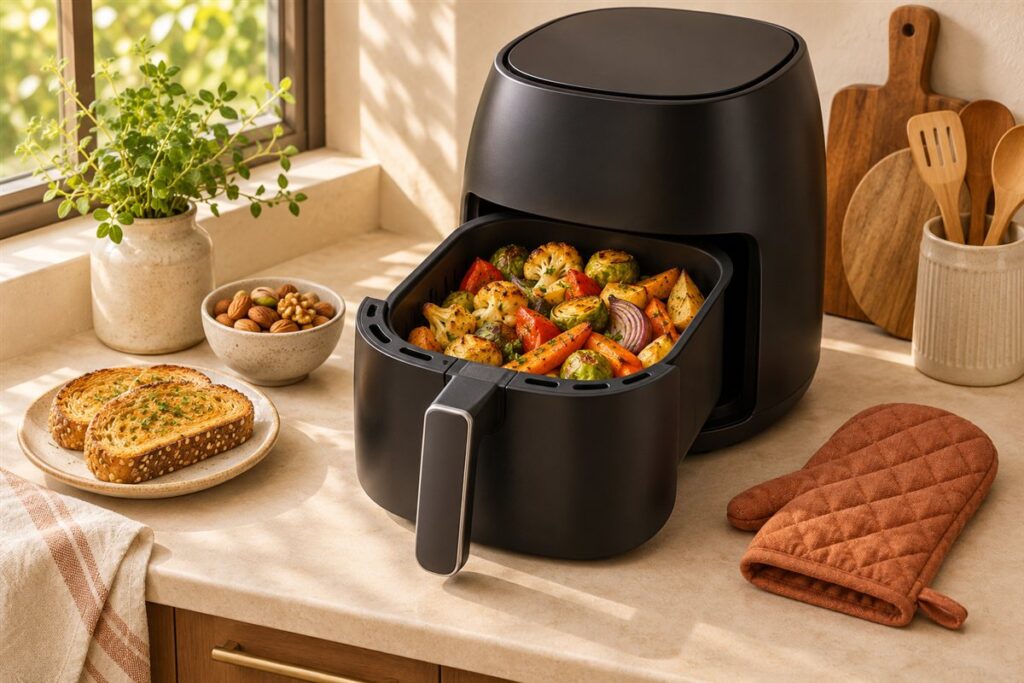
Digital controls give you exact numbers and presets, while dials are simple and quick to use. Choose digital if you like precision and one-touch programs, and choose dials if you want an easy, no-fuss setup.
What Each Style Is For
Digital controls use buttons or a touch panel and a display. You set an exact temperature and time, and many models add presets for common foods, a preheat function, and reminders to shake the basket.
Dial controls use two knobs, one for time and one for temperature. You turn them to the setting you want, and the timer usually counts down with a bell or click at the end.
Key Differences
| Feature | Digital | Dial |
|---|---|---|
| Precision | Exact values | Approximate markings |
| Presets | Often included | Usually none |
| Learning curve | Menus to learn | Very simple |
| Cleaning | Flat panel, wipe clean | Knobs and gaps to wipe around |
| Possible failure points | Electronics and display | Mechanical timer |
| Use in low light or with wet hands | Touch panels can be fussy | Easy to turn |
Who Should Choose Which
- Digital suits people who follow recipes closely, like to change settings in small steps, or want preset programs and a clear display.
- Dials suit people who cook simple foods, want fewer buttons, or share the kitchen with people who prefer easy controls, or who like to set a time and walk away without looking at menus.
- Either works for general everyday cooking, because cooking results depend more on the heating system and your habits than the control style.
Questions to Ask Yourself
- Do I want to set exact temperatures in small steps?
- Will I use presets, or ignore them?
- Do I want a display I can read from across the room?
- Would I rather turn a knob than tap a screen?
- Is easy cleaning around the controls important?
Other Control Styles
Some units combine a digital display with a dial, and others add app or voice control. These can be convenient, but they also add steps. If you rarely use extra features, do not let them drive the decision. Look at how the controls feel in your hands, how clear the labels are, and whether the manual is easy to follow.
How Each Style Feels in Daily Use
Specifications only tell part of the story. The real difference between digital and dial controls shows up in the small moments of everyday cooking. With a dial, you turn two knobs and walk away. There is no screen to wake up and nothing to confirm, which suits quick jobs like reheating a slice or warming a handful of chips. The trade-off is that markings are approximate, so you may stop between two lines and guess.
With digital controls, you tap a few buttons, watch the numbers, and often hear a beep to confirm each step. That feedback is reassuring for recipes where a few degrees or a minute matter. It can also be slower if the interface needs several presses to reach a setting, or if the buttons are small and the labels are cryptic. Some touch panels respond poorly with damp or greasy fingers, which matters in a working kitchen.
Think about the way you usually cook. If you often follow written recipes and like to repeat results exactly, the readout on a digital unit can save guesswork. If you mostly cook familiar foods and want to start the machine without thinking about it, dials are quick and direct. Neither is better for everyone, and your habits are a better guide than any feature list.
Accessibility and Readability
Controls need to be usable by everyone who cooks in the kitchen. Consider eyesight first. A bright display with large numbers is easy to read from across the room, but a dim or tiny display can be frustrating. Dials with bold markings and a clear pointer can be easier for some people, particularly if they find small text or menus confusing.
Consider touch and dexterity too. Large, firm knobs suit people who find fine buttons difficult, while a clear set of well-spaced buttons may suit someone who prefers a light press to a twist. Textured knobs are easier to grip when hands are wet or oily. If a family member has limited grip strength or finds screens tricky, ask them to try the controls in a shop or watch a video of the model in use before you buy.
- Check whether labels are printed or just icons, and whether you can understand them without the manual.
- Look at whether sound feedback can be turned off, or is loud enough to hear across the room.
- Consider whether the display is shown at an angle that suits your counter height.
Good design makes the unit feel simple, whichever style it uses. Readable controls also help guests and relatives who borrow your kitchen from time to time.
Presets, Programs, and Shortcuts
Presets are a major selling point of digital models. A button labeled for chips, chicken, or fish sets a time and temperature in one touch, which can be a helpful starting point. Treat them as a guide rather than a guarantee, because the best setting depends on the amount of food, its thickness, and whether it started frozen. Many cooks end up adjusting the numbers after the first try.
Look at how easy it is to override a preset. A good interface lets you start from a program and then change the time or temperature without starting again. Some models also remember your last setting, which saves taps if you cook the same thing each week. Check the manual or listing to see whether this is offered.
Dial models usually have no presets, but many come with a printed chart on the unit or in the guide. This works well if you like a quick reference and do not want to learn a menu. If you rarely use shortcuts and cook by feel, you lose very little by choosing a dial. If you cook many different foods and like having starting points, digital presets may save time. Whichever you choose, take note of the settings that work well for your favorite foods and keep them handy.
Reliability, Repair, and Longevity
People often ask which style lasts longer, and the honest answer is that it depends on the build and the maker. A mechanical timer has fewer electronic parts but can wear or lose accuracy. A digital board has no moving parts in the controls, but it can be sensitive to heat, steam, or moisture if the design is poor. Instead of assuming either style is tougher, look at the information the maker gives.
Read the warranty terms and see what they cover. Check whether replacement parts, such as baskets or control panels, are offered, and whether support is easy to reach. Look at how the panel is sealed or positioned, and whether steam from the vents is directed away from the controls. Wipe up spills promptly, and keep the panel clean with a damp cloth rather than letting grease collect around buttons or knobs.
If a dial starts to feel loose, or a button stops responding, stop using the unit and contact the maker rather than trying to repair it yourself. Any fault involving the power cord, plug, or internal parts is a safety matter, so do not open the casing. A clear warranty and available support tell you more about long-term value than the type of control.
Making the Final Choice
To decide, picture a typical week of cooking. List the foods you make, who uses the machine, and where it sits. Then ask which style would cause the least friction. If you expect to be at the counter checking the food, a digital display gives you clear information. If you want to start the cook and then get on with something else, a dial is hard to beat for simplicity.
Consider the household as well. If several people use the machine, the easiest controls will usually win. If one person does all of the cooking and loves a precise recipe, a digital model may feel more satisfying. For gifts, a model with simple, readable controls is the safest choice, because it needs little explanation.
Finally, remember that controls are only one part of the decision. Capacity, cleaning, noise, and the space it needs matter as well, and none of them depend on the style of the control. Pick the one you can imagine using calmly on a busy evening, then read the manual before you buy so there are no surprises. If you are still undecided after all this, choose the style whose manual you found easiest to understand, since that is a good sign of how the machine will feel in use. You can always learn the other style later.
FAQ
Are digital models more accurate?
They show exact numbers, but real oven temperature can still differ a bit from the display. Dials show approximate settings, so you may learn what works by trial.
Do dials last longer?
There is no rule. Durability depends on the make and build, so look at the maker’s support information rather than the control type alone.
Which style is easier for beginners?
Dials are often simpler because there are only two settings to learn. Digital models can be just as easy if the menu is clear and the labels make sense, so look at the instructions before buying.
Can I turn off the beeps on a digital model?
Some models let you mute the sound and others do not. Check the manual or listing for sound options before you buy if this matters to you.
Are dials harder to set precisely?
They show approximate markings, so you may land between two values. For most everyday cooking this is fine, and you can learn which position works for your usual foods.
What happens if the timer on a dial model stops working?
Stop using the unit and contact the maker or check the warranty. Do not open the casing, and avoid running it without a working timer.
Do touch panels work with wet hands?
It varies. Some respond well and others become unreliable when damp or greasy, so dry your hands first and wipe the panel clean often.
Do app controls replace the need for buttons?
Usually not. Most connected models still have on-unit controls, and the app is an extra for remote alerts or recipes. Check what happens if your phone or network is not available.
The Short Version
Choose digital for precision, presets, and a clear readout, and choose dials for simplicity and ease of use. If you cook mostly basic foods, both will do the job well.